How to use Side Hustle Garden
The whole app, explained in plain words. Ten minutes from "what is this" to "I've got it".
The big picture
Your bills are plants. Your side hustle income is water. Every payment you log waters the garden, and the plants grow as your bills get covered.
The question this app answers is the one that's genuinely hard to hold in your head: how much of my actual life does this side hustle actually pay for? Not "did I make money this month", which tells you nothing. Covering your phone bill is a real milestone. This shows you the month you crossed it.
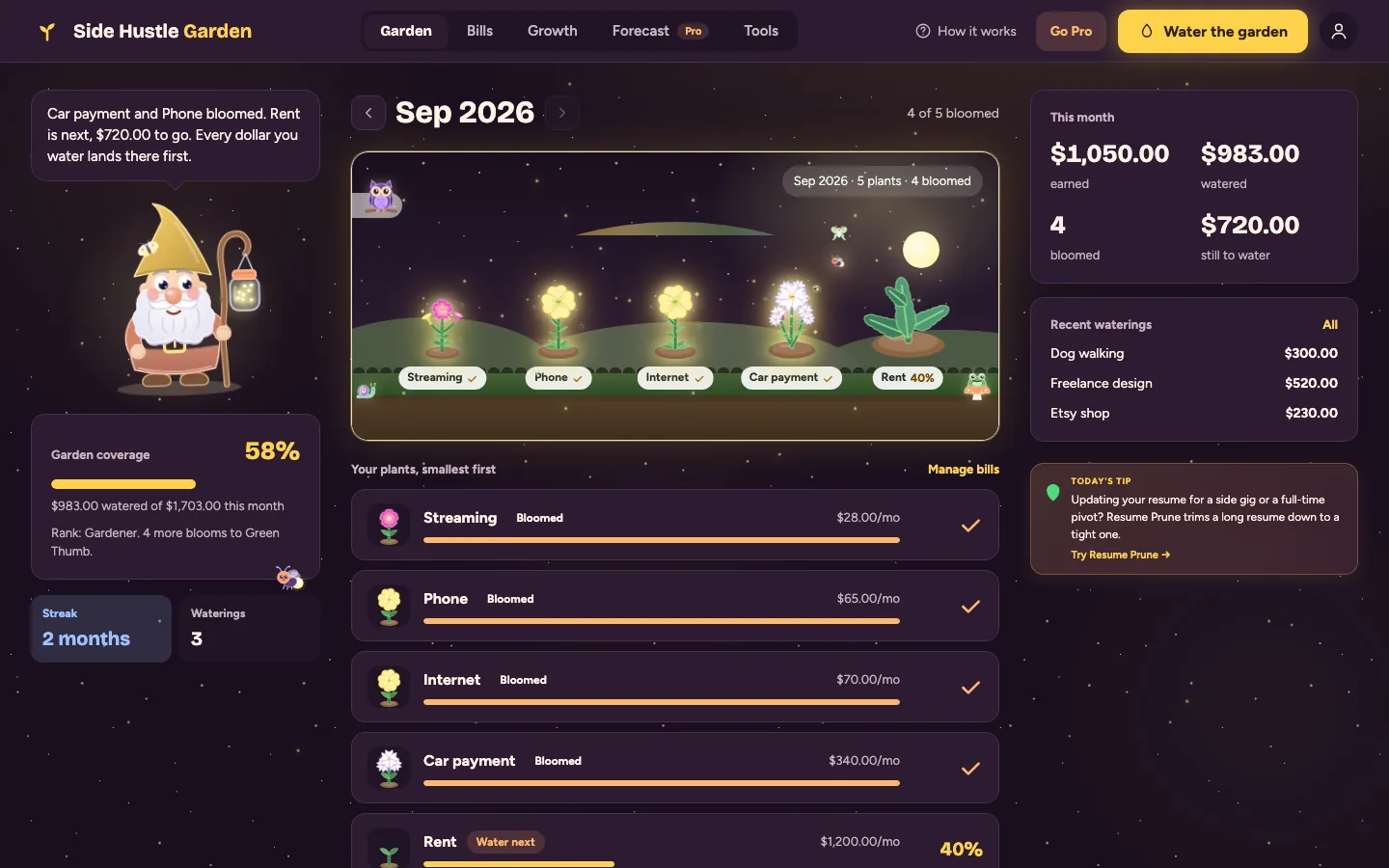
Each plant is a bill. How grown it is shows how much of it your income has covered this month.
Step one: plant your bills
Go to Bills and plant the things you pay every month. Each one needs a name and a monthly amount, and you pick a type, which is just what the plant looks like in the garden.
There's a fixed monthly switch. Turn it on for anything that's the same every month, like rent or a car payment. Leave it off for the ones that move around, like groceries or the power bill, and you can set those per month.
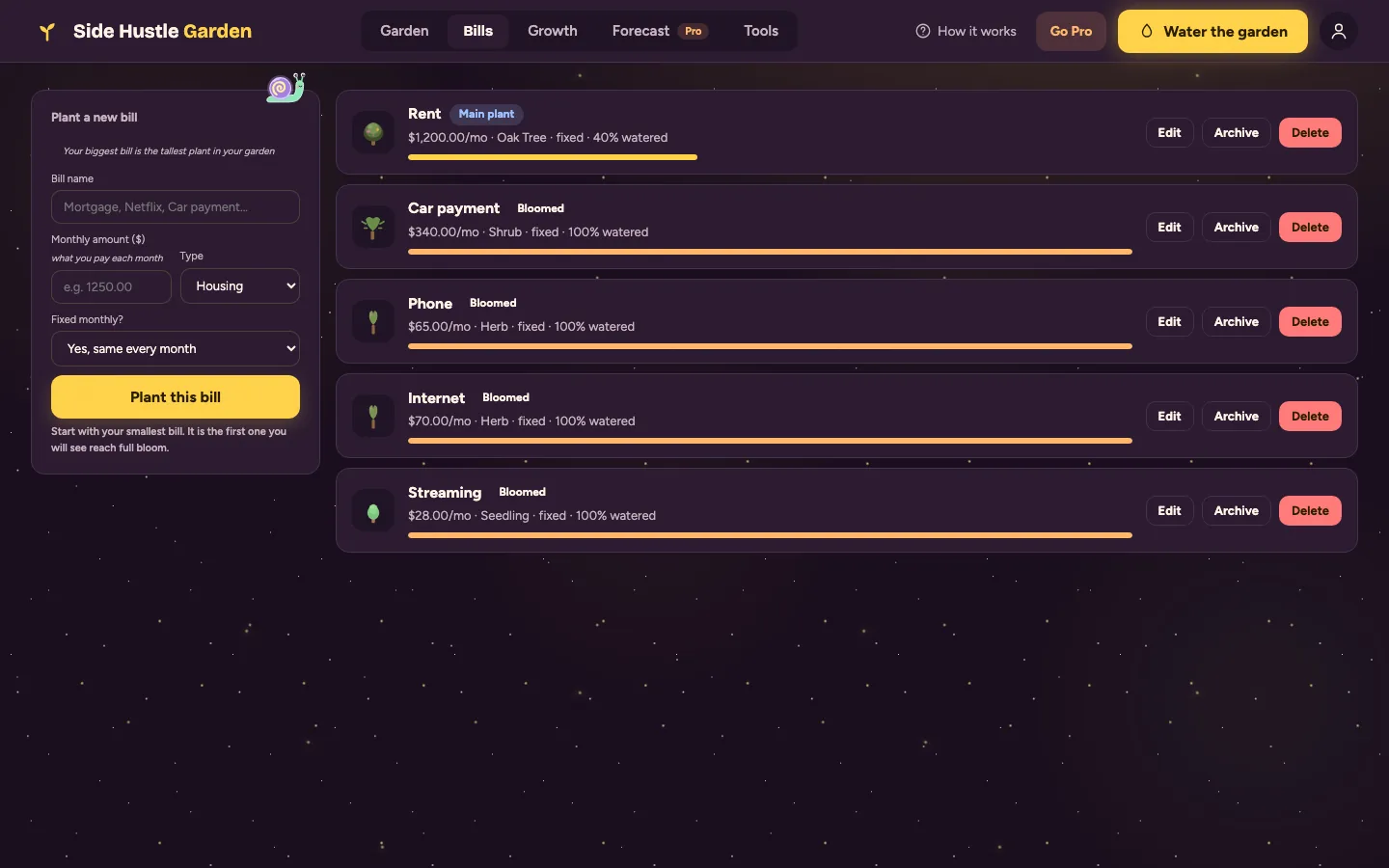
Name, amount, and what it should look like. That's a planted bill.
Step two: water with what you earned
Go to Water when money comes in. Put in where it came from, the amount, and the date, then tap Water the Garden.
The app spreads that money across your bills for that month, smallest bill first. It shows you the watering order before you commit, so there's never a surprise about where it landed.
Smallest first is deliberate: it's the same logic as a debt snowball. You get a whole plant fully grown early, which is the thing that makes you keep going, instead of spreading the money so thin that nothing visibly changes.
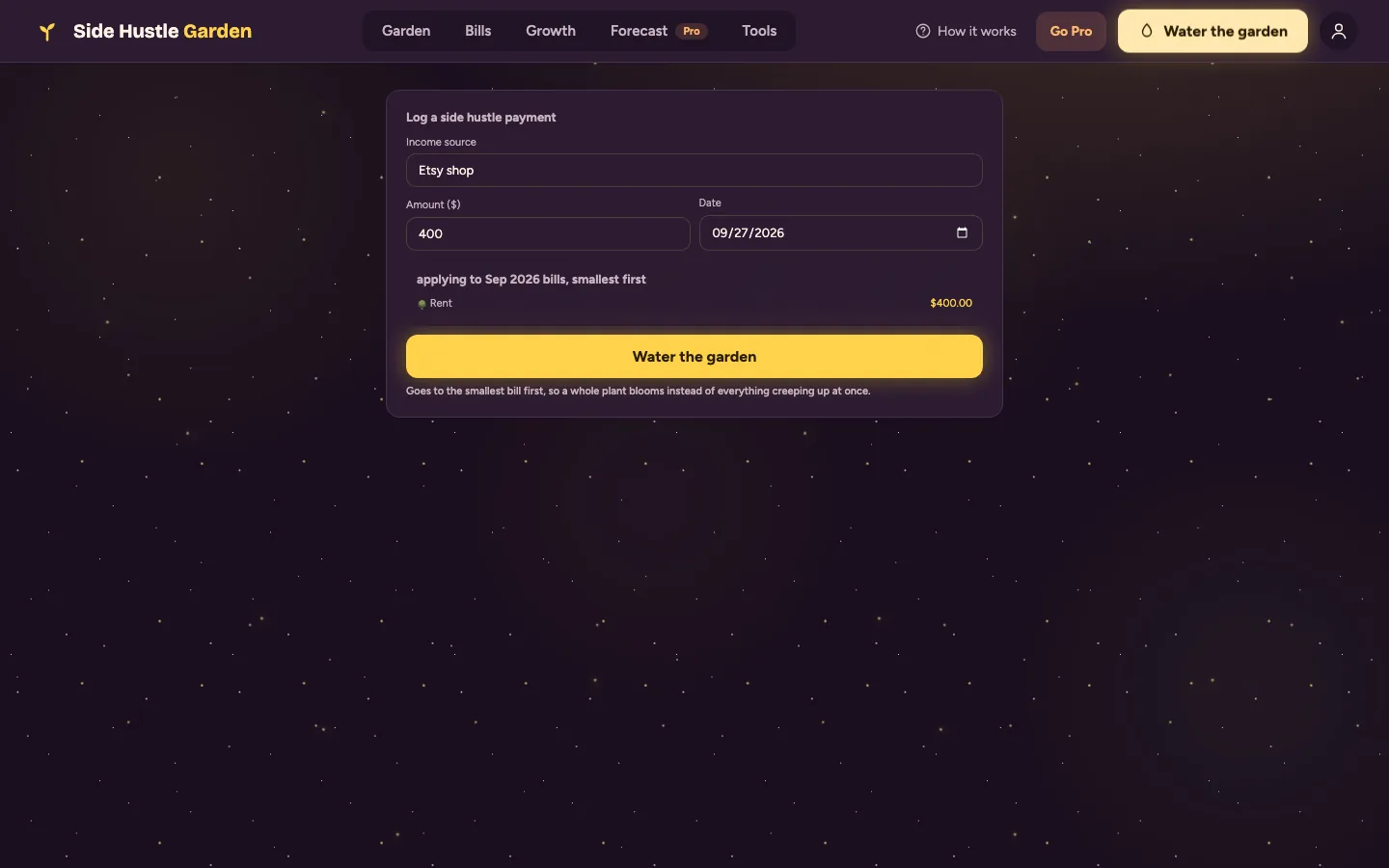
Where it came from, how much, and the order it'll be applied in.
How the plants grow
Each plant moves through six stages, and its stage is how much of that bill this month's income has covered. It's per month: a new month means fresh soil, and the plants start over.
The bar above the garden is your coverage: how much of everything you owe this month your income has watered. Water more than your bills and the surplus is called out separately.
What each tab is for
- Garden is the picture. Every bill as a plant, plus your coverage for the month.
- Water is where you log income.
- Bills is where you plant and edit them.
- Growth is the history: how coverage has moved month over month.
- Forecast projects the next 6 months. That one's Pro.
Your first ten minutes
- Plant three bills. Start with your smallest one, because that's the first plant you'll see bloom.
- Log one payment you've already received this month.
- Look at the Garden. The coverage bar is the number this whole app exists to show you.
What's free and what's Pro
Free is the whole garden, with no cap on bills or payments. Pro is one pass that also unlocks the other four apps in the hub.
| Feature | Free | Pro |
|---|---|---|
| Bills planted | Unlimited | Unlimited |
| Payments logged | Unlimited | Unlimited |
| Garden, growth stages, coverage | Yes | Yes |
| Growth history | Yes | Yes |
| 6-month cash flow forecast | Locked | Where bills and income land over the next 6 months |
| CSV export | Locked | All bills, payments and monthly amounts |
Quick answers
- Does this connect to my bank?
- No, and it never asks. You log income yourself. There's no bank connection and no card.
- Why did my plants reset?
- Coverage is per month. A new month is fresh soil, so the plants start again. Your history stays in the Growth tab.
- Can I change which bill gets watered first?
- The order is always smallest bill first, and the preview shows it before you water. That way a whole plant blooms early instead of everything creeping up at once.
- What if my income is bigger than my bills?
- Everything blooms and the extra is shown as surplus. That's the good problem.
- Can I see the app tour again?
- Yes. Tap the ? button at the top of the app, then Show me around.
- Where do I ask for help?
- The feedback button in the corner of the app comes straight to me, Jen. I read every one.